TTS-STUDIO
◈ Building
AtlasForge
Furnished towns that follow the ground they stand on
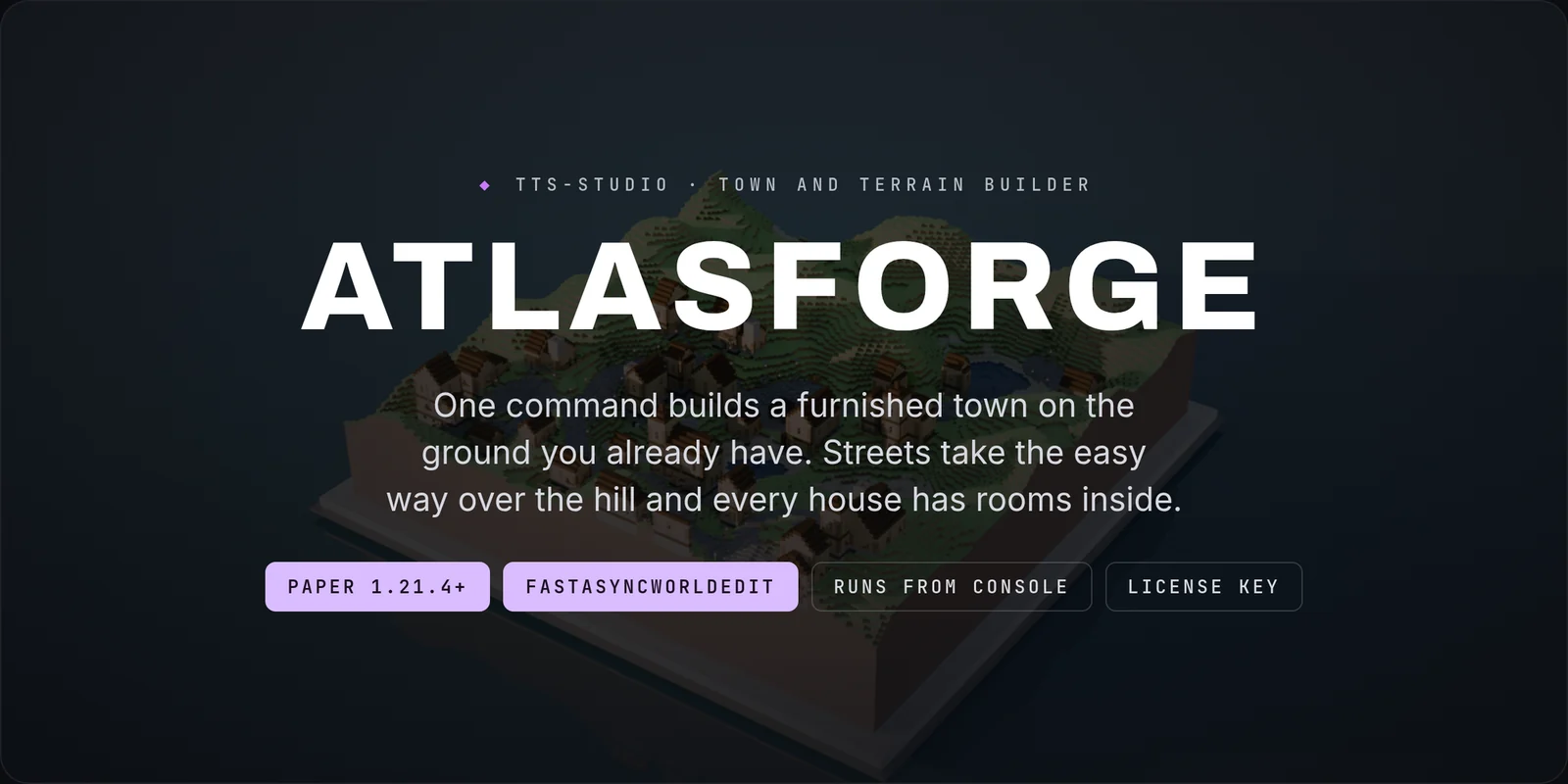
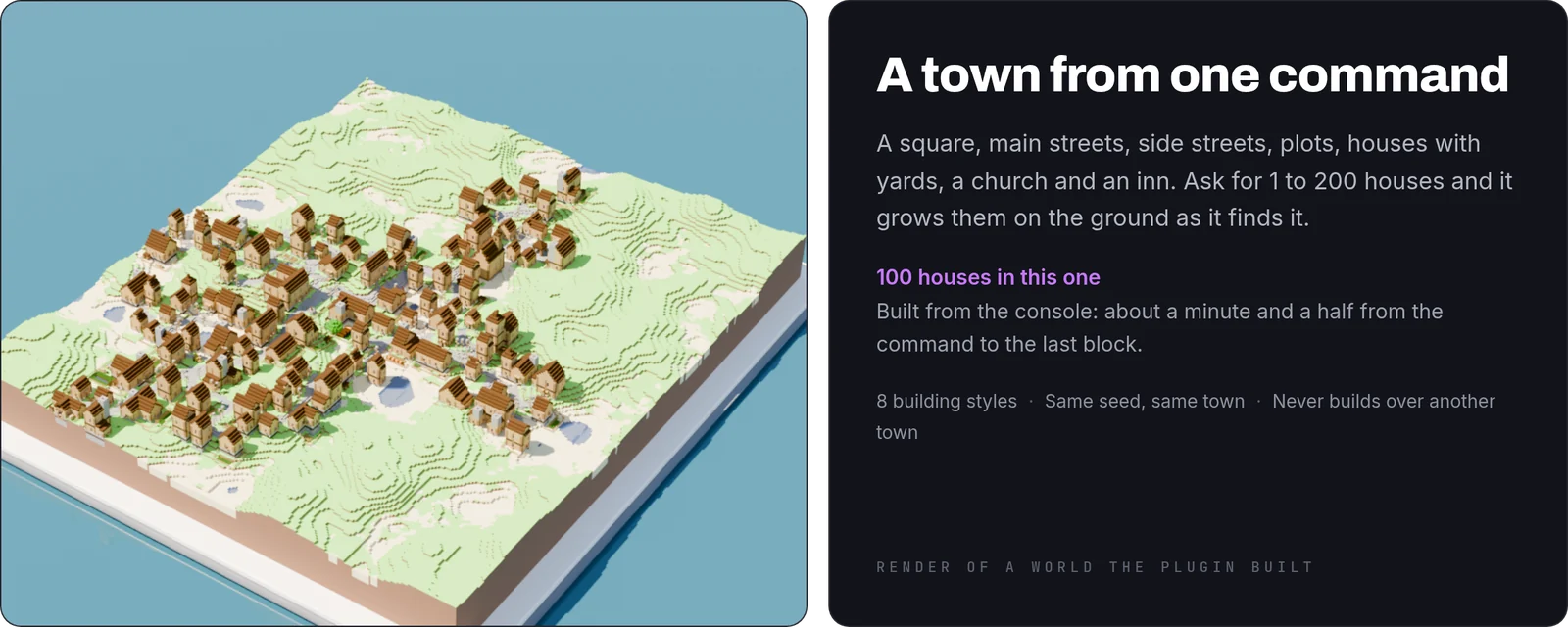
AtlasForge is a building toolkit for Paper 1.21.4 and newer. One command builds a whole town on the ground you already have: a square, streets, plots, furnished houses with yards, a church and an inn. It also makes the terrain to put the town on, paints it, and exports what you built. Every picture on this page is a render of a world the plugin built.

Towns
- Any size: ask for 1 to 200 houses, or say
small,mediumorlarge. - Built on the ground as it is: streets take the easy way over a hill and plots sit where the slope lets them.
- Yards: a fence with a gate, a vegetable plot, paths and a few pieces such as a woodpile or a bench.
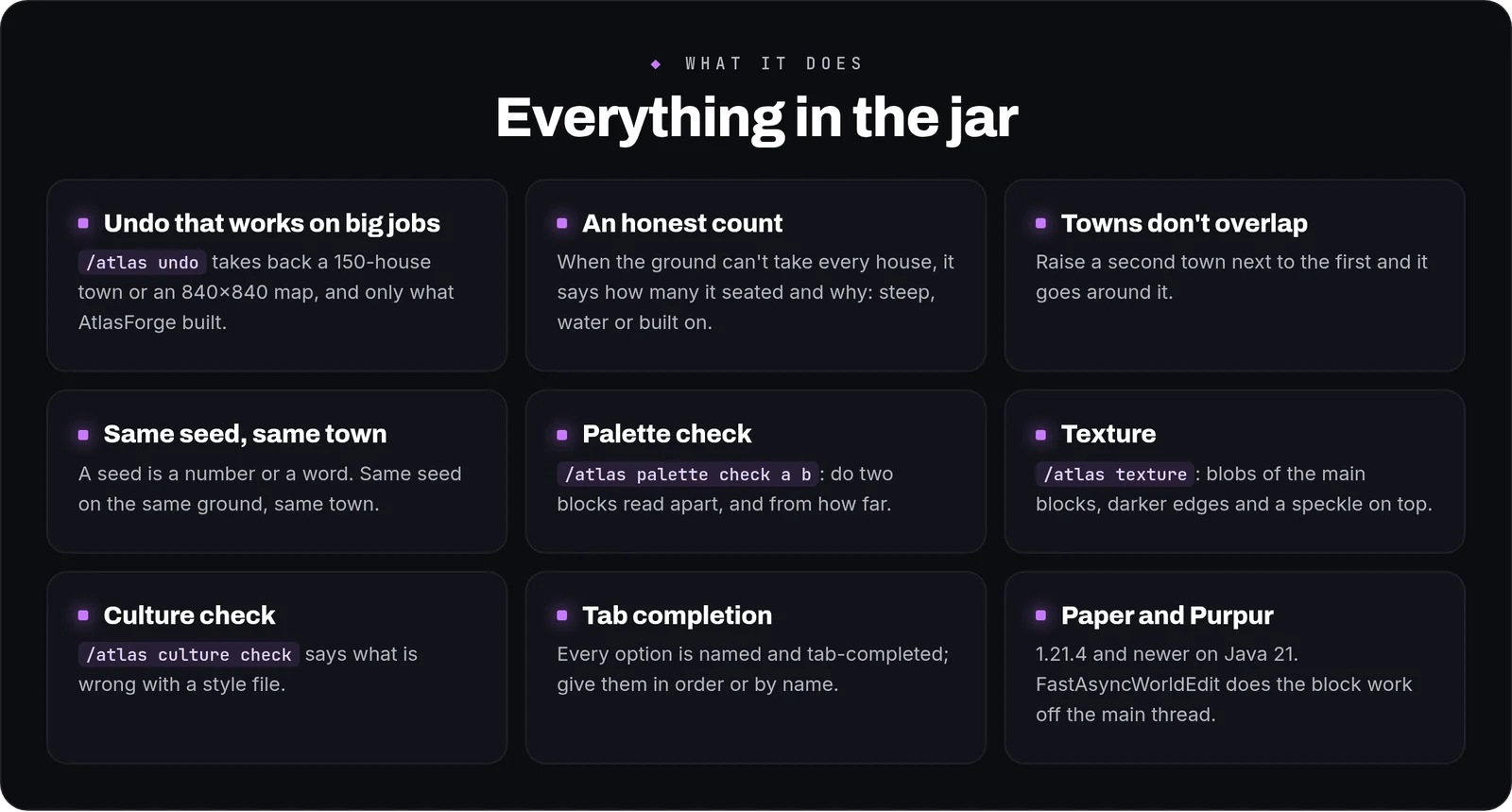
- An honest count: when the ground can't take every house, the town tells you how many it seated and how much of the ground was too steep, under water or already built on.
- Towns don't overlap: raise a second town next to the first and it goes around it.
- Same seed, same town: a seed is a number or a word, and the same seed on the same ground builds the same thing.
Preview first
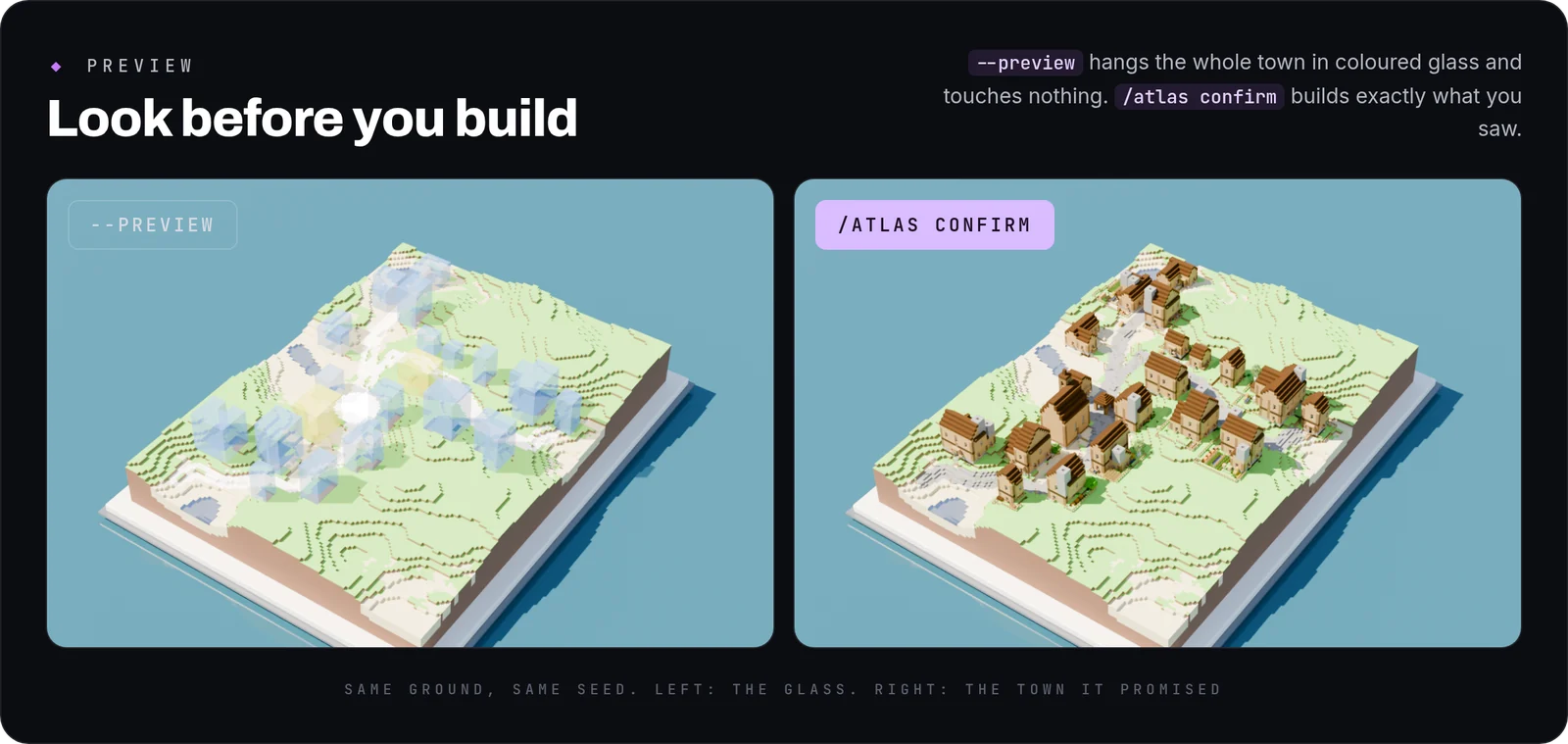
/atlas town 30 --preview reads the ground, works the town out and hangs it in coloured glass: streets at their real height, each house as a volume up to its ridge, the square in white and the landmarks in yellow. Nothing in the world changes. /atlas confirm builds what you saw, /atlas cancel throws it away, and glass you leave alone fades after five minutes. The two pictures above are the same ground with the same seed.
Hillsides
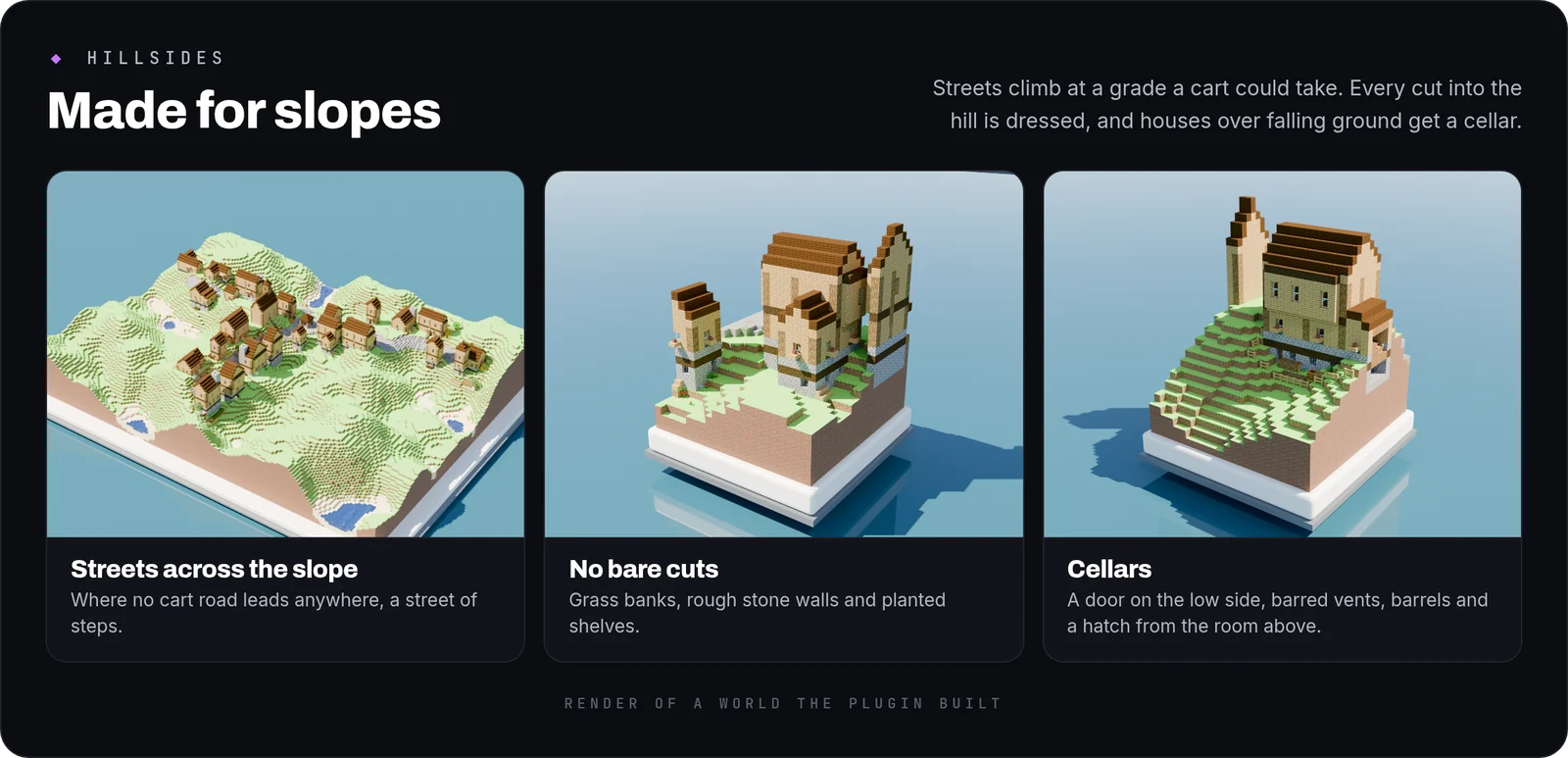
- Streets a cart could climb: they cross a slope rather than go straight up it. Where no such street leads anywhere, you get a street of steps.
- No bare cuts: every cut into a hillside gets a grass bank, a rough stone wall, or a planted shelf with a second wall behind it.
- Cellars: a house whose floor ends up three blocks or more above falling ground gets a cellar with a door on the low side, barred vents, barrels, a lantern and a hatch from the room above.
- Windows that make sense: a ground-floor window that would face the hillside is left as wall.
A town in any style
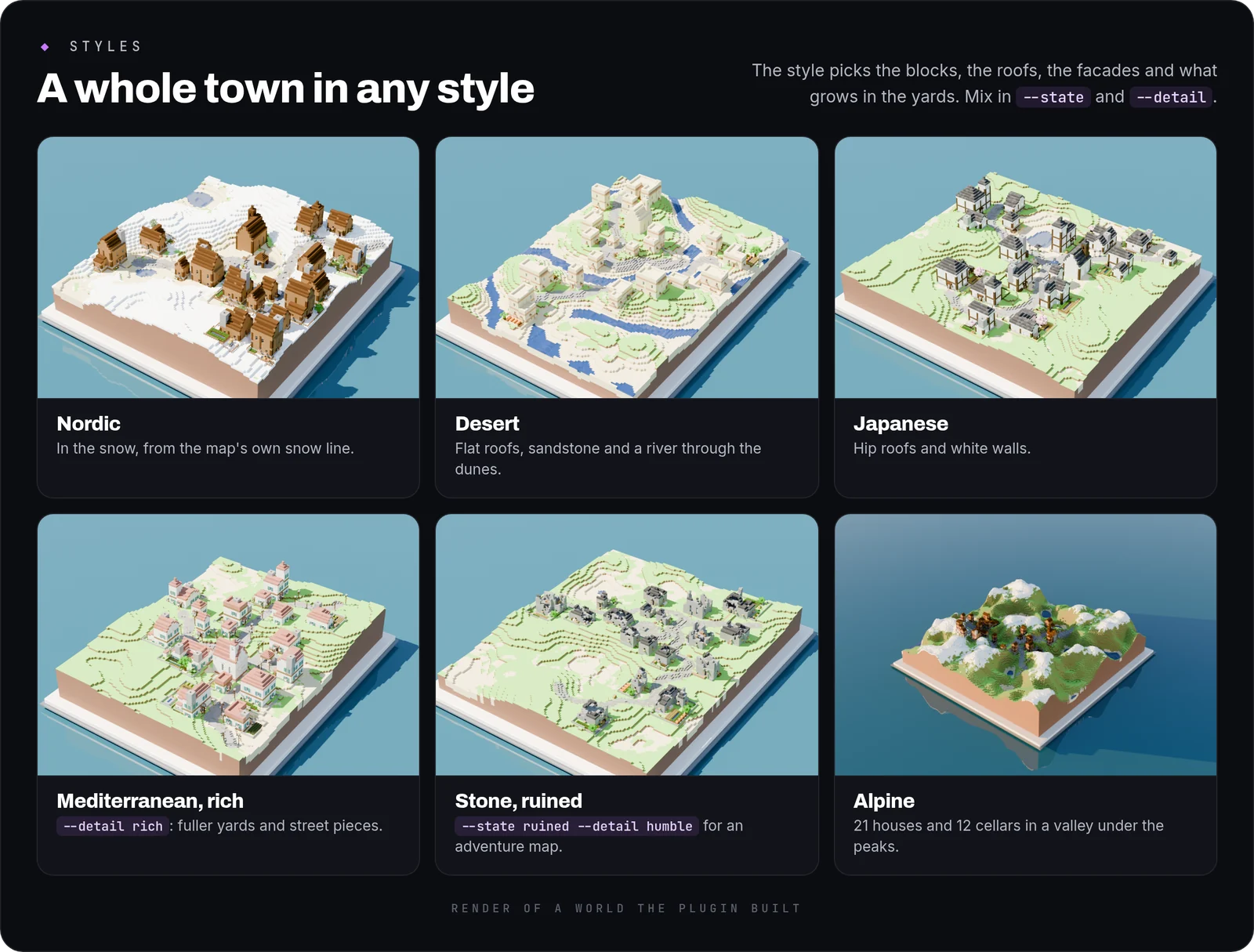
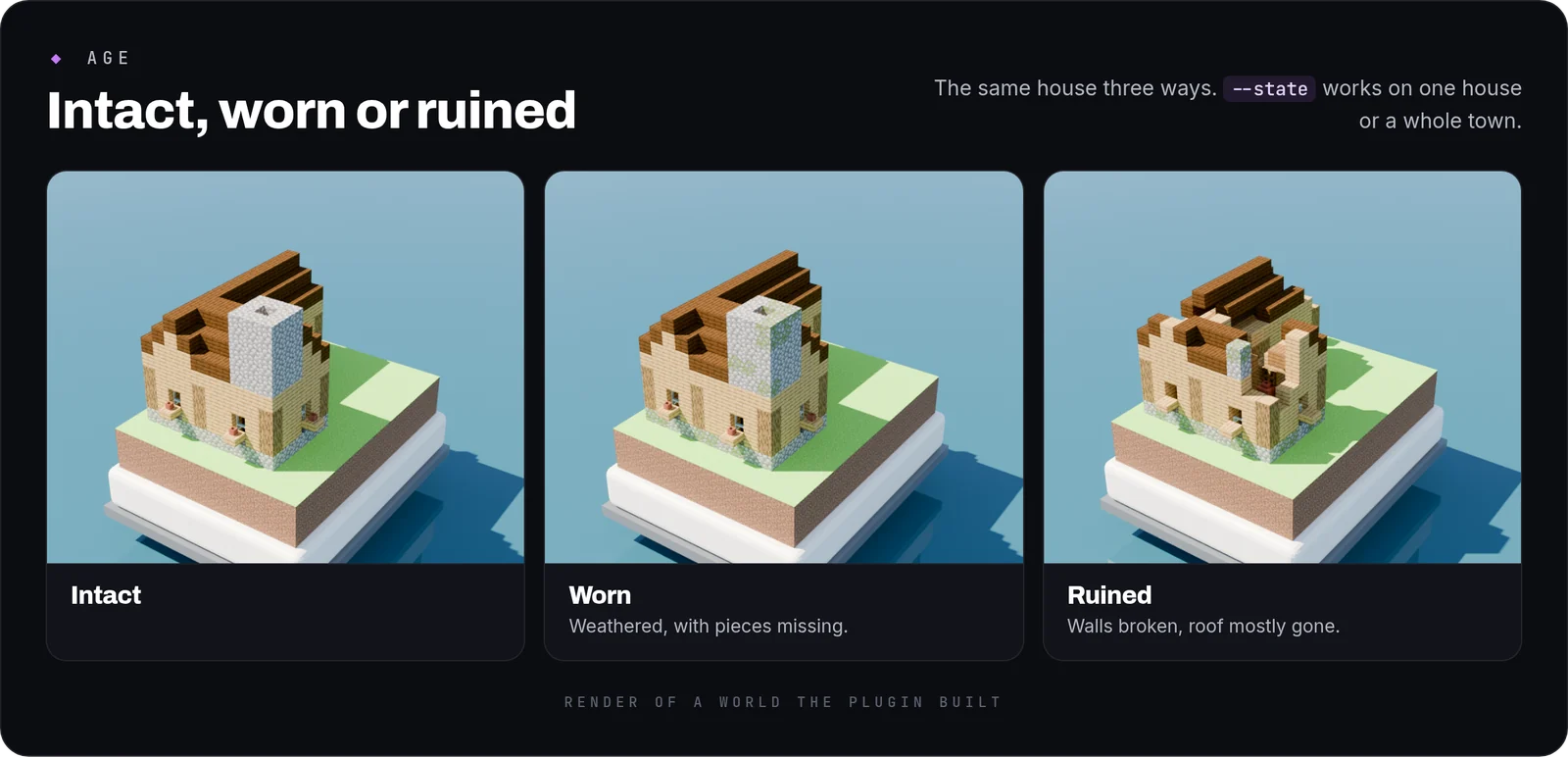
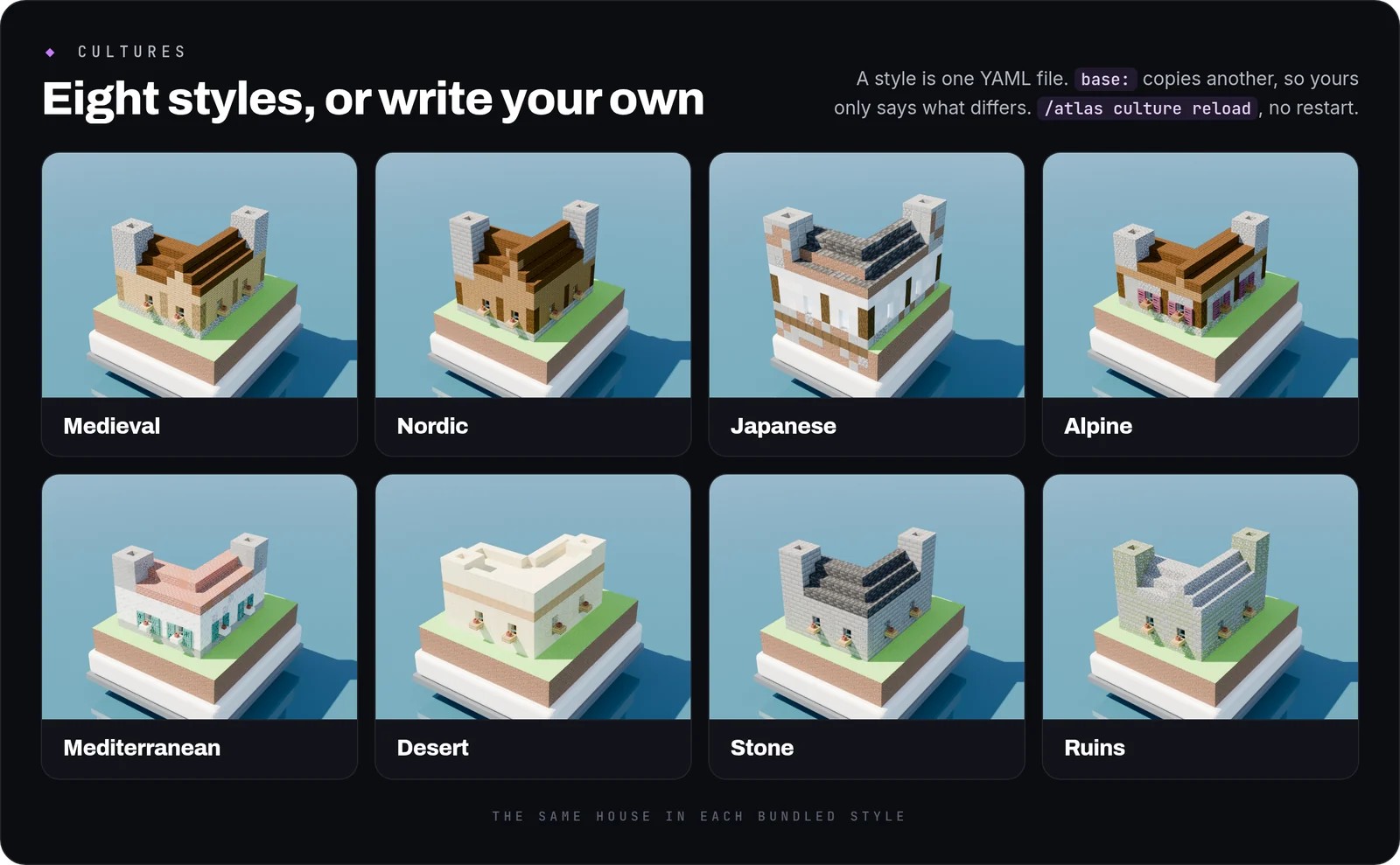
The style decides the blocks, roof shapes, facades and how the yards are kept. --state worn or --state ruined ages every building, and --detail humble, common or rich sets how much goes into the streets and yards.
Another house on one plot
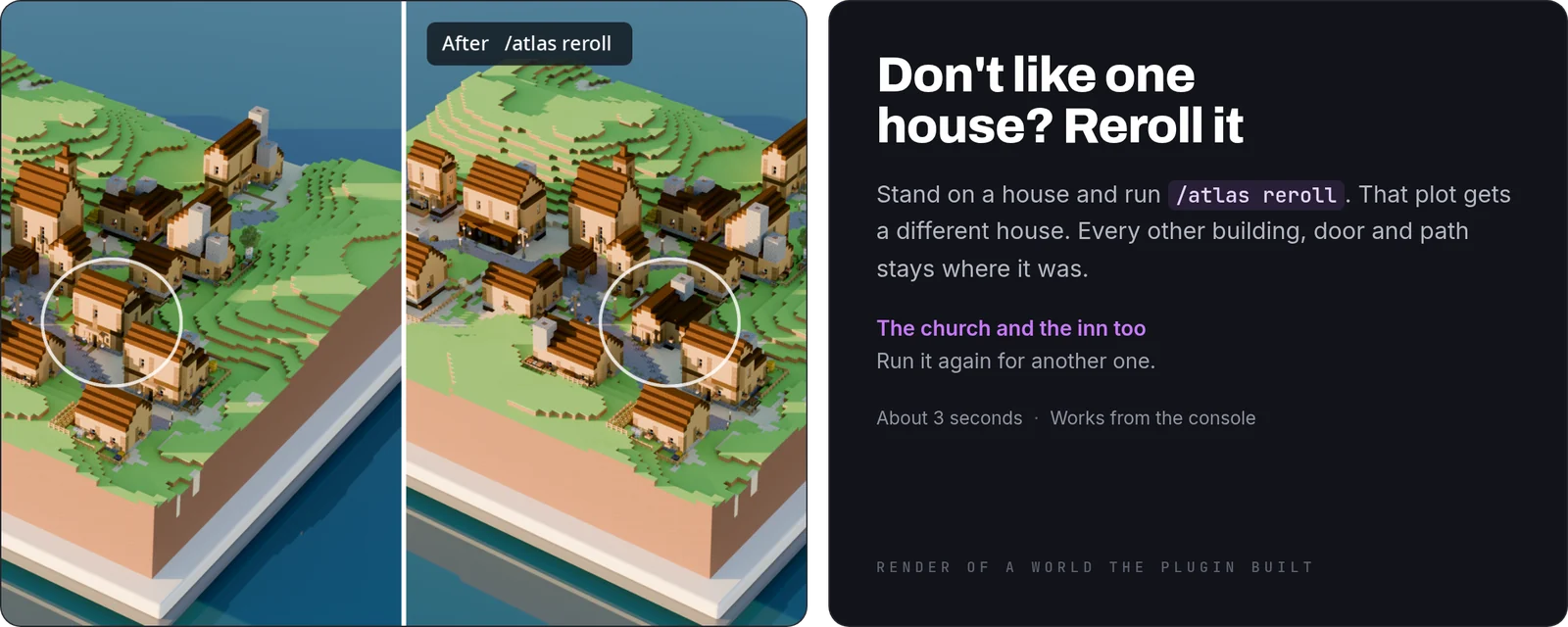
Stand on a house you don't like and run /atlas reroll. Only that plot, its yard and its path to the street are rebuilt. Run it again for another one. The church and the inn take turns too.
Houses
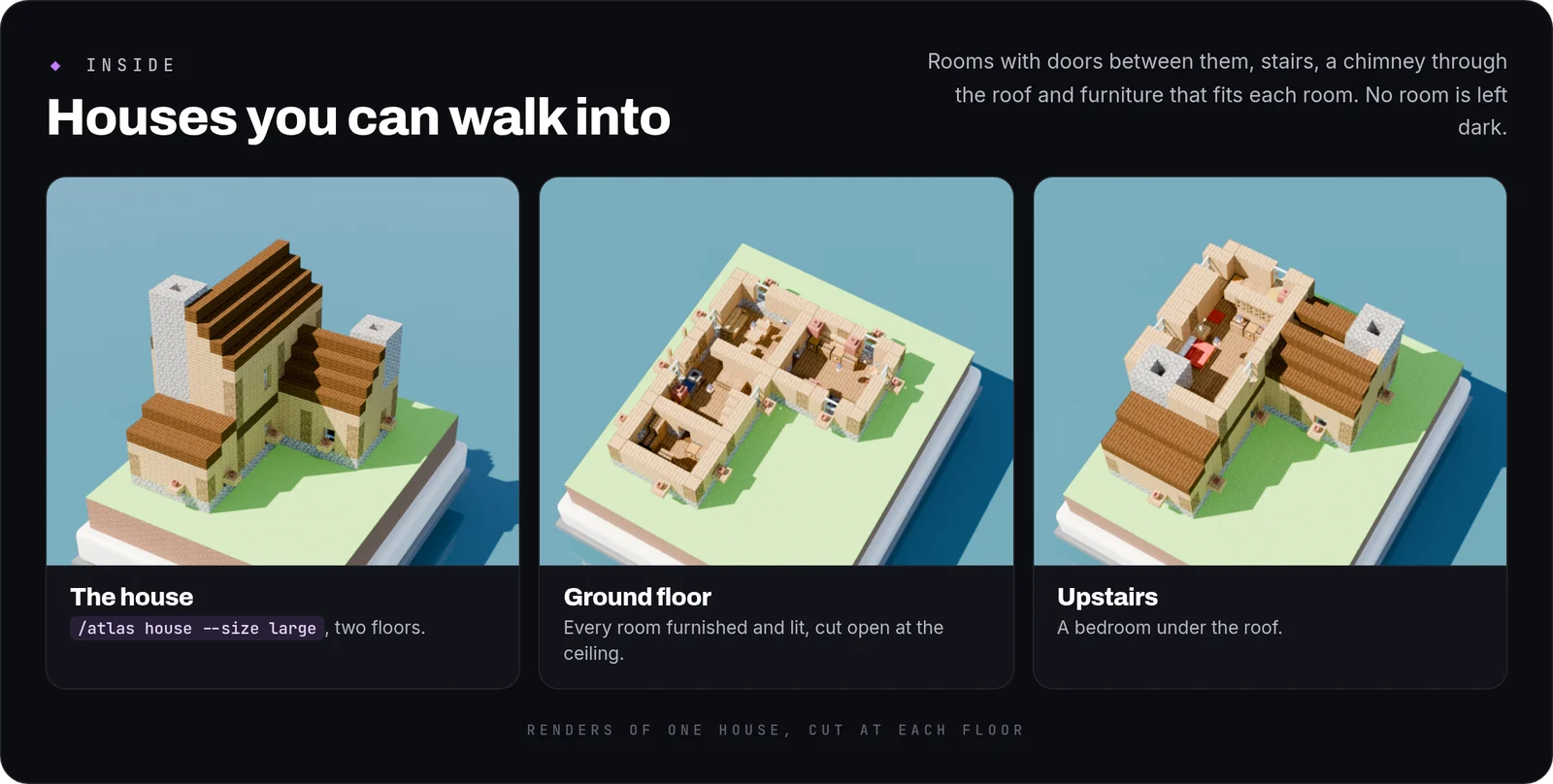
- Furnished inside: rooms with doors between them, windows, stairs or a ladder, and furniture that fits each room. No room is left without a light.
- One house on its own:
/atlas housebuilds one where you stand.--previewworks here too.
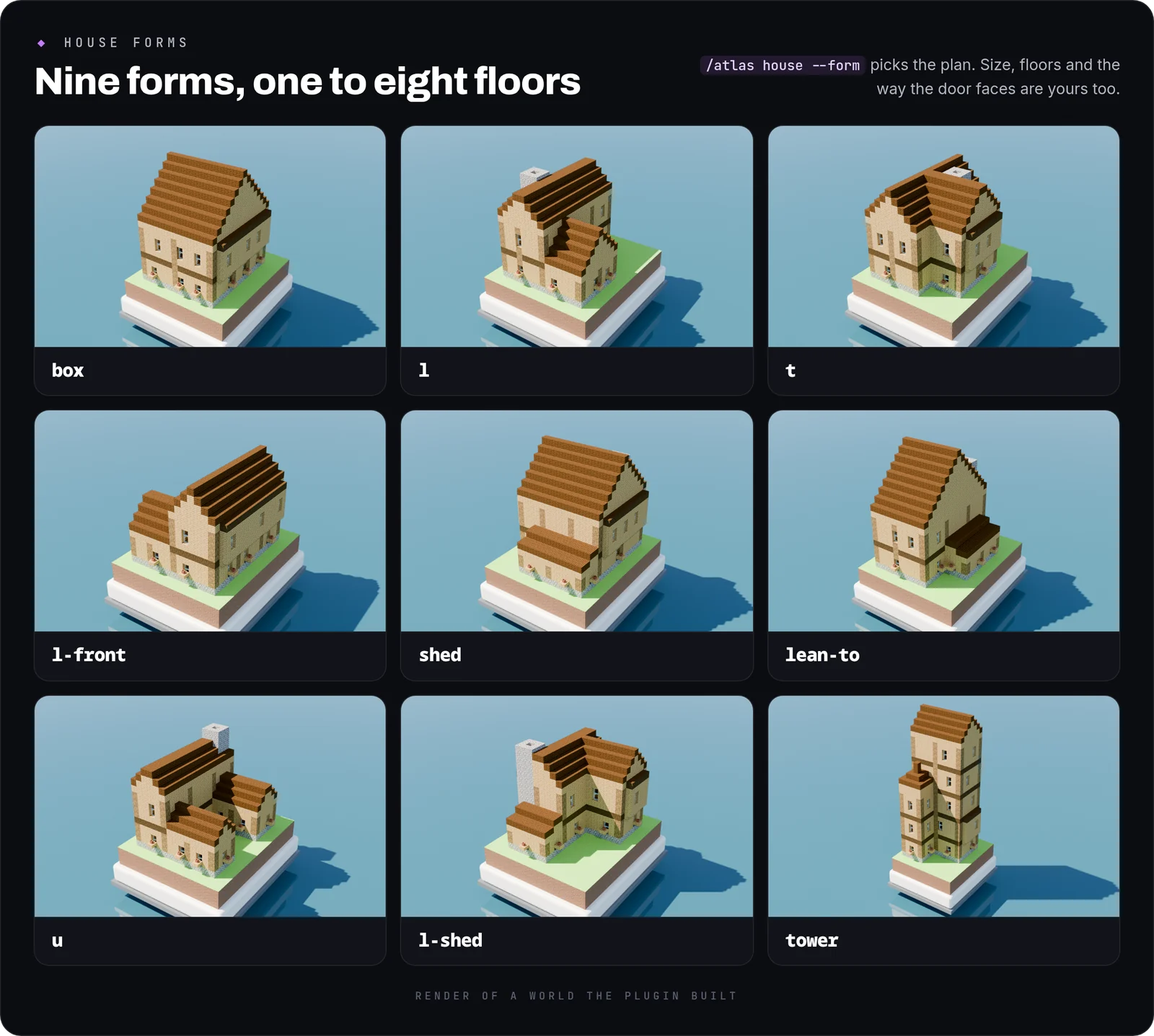
Nine forms: box, l, t, l-front, shed, lean-to, u, l-shed and tower. Sizes small, medium and large, or --width and --length from 5 to 64, from 1 to 8 floors, and --facing for the door.
Styles and pieces
- Eight styles in the box: medieval, nordic, japanese, alpine, mediterranean, desert, stone and ruins.
- Your own: a style is one YAML file in
plugins/AtlasForge/cultures/.base:names a style to start from, so the file only has to say what differs./atlas culture checktells you what is wrong with a file, and/atlas culture reloadpicks up changes without a restart.
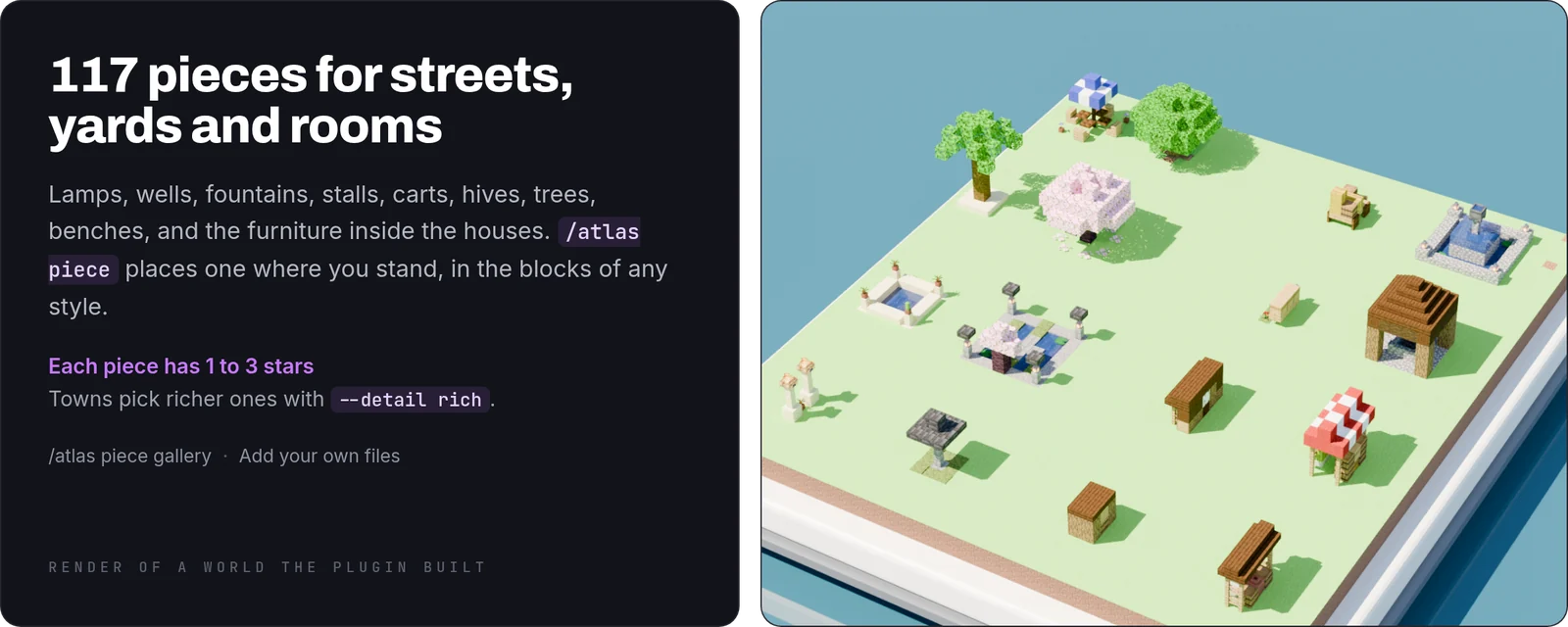
117 pieces: lamps, wells, fountains, stalls, benches, carts, hives, trees, planters and indoor furniture, each rated one to three stars. /atlas piece places one where you stand, made of the blocks of the style you give it, and /atlas piece gallery lays a whole style's pieces out in a row.
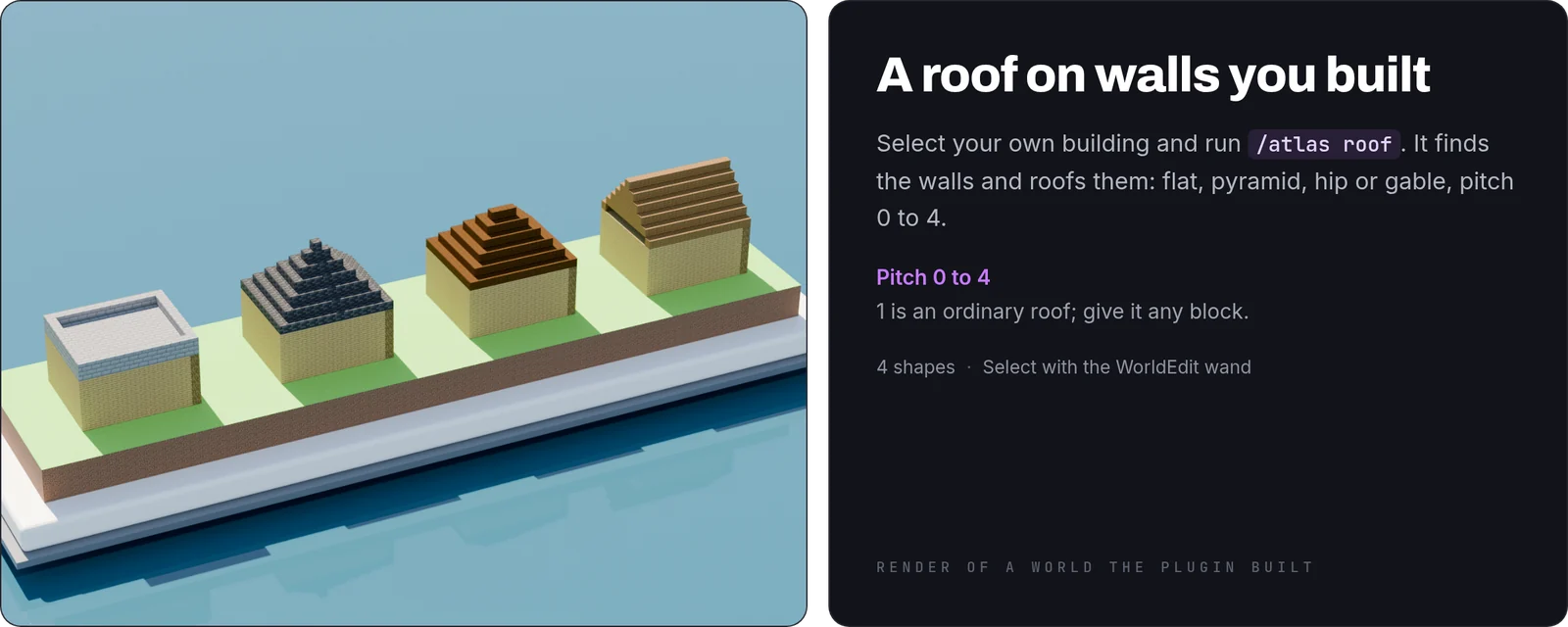
A roof for your own walls: select a building you made and /atlas roof puts a gable, hip, pyramid or flat roof on it, pitch 0 to 4.
Terrain
- Whole maps:
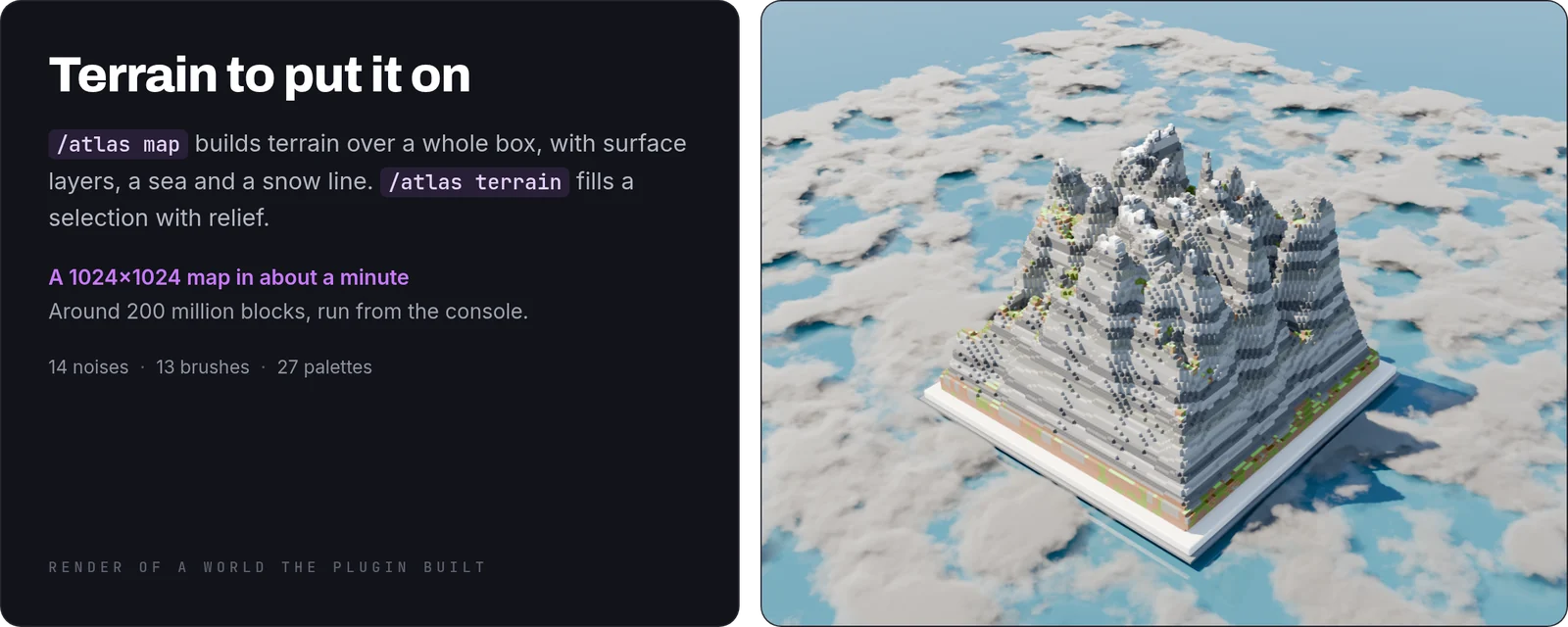
/atlas mapbuilds terrain over a box, with surface layers, a sea and a snow line. A 1024×1024 map is about 200 million blocks and takes a little over a minute from the console. - Relief in a selection:
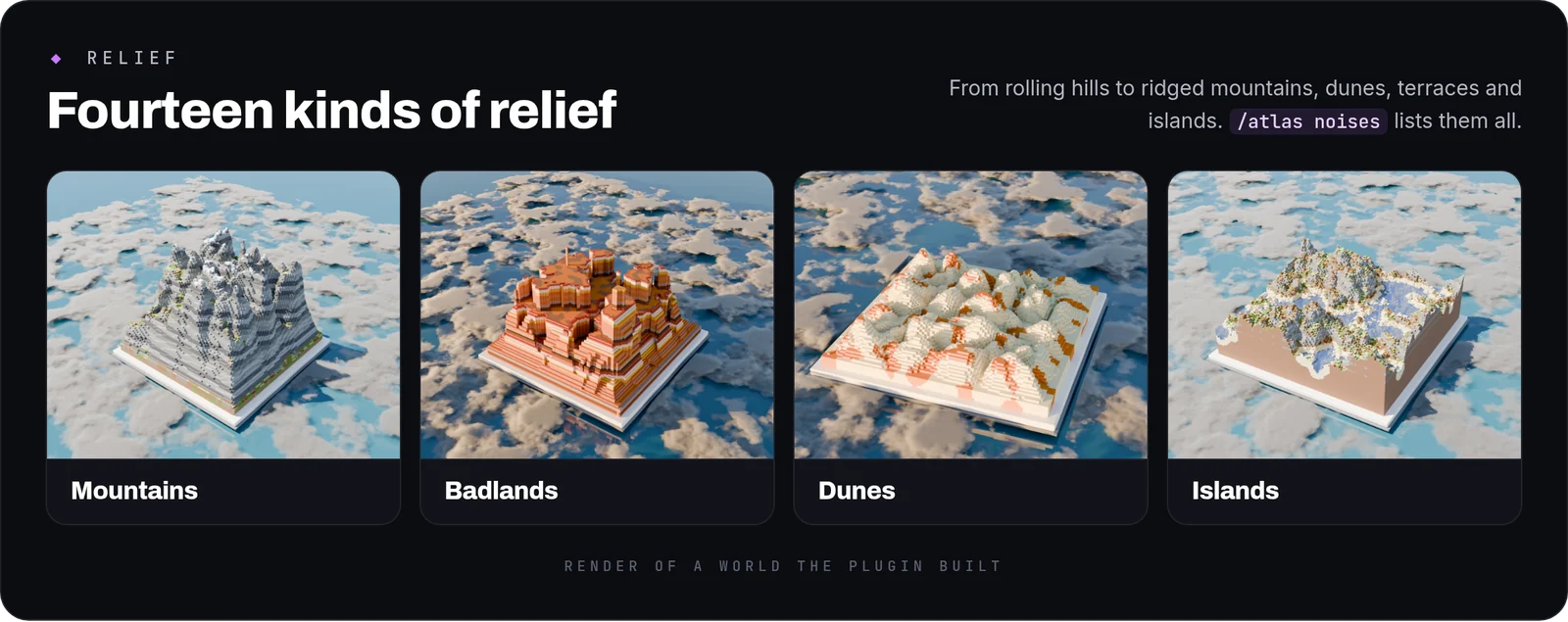
/atlas terrainfills your WorldEdit selection with one of 14 noises.
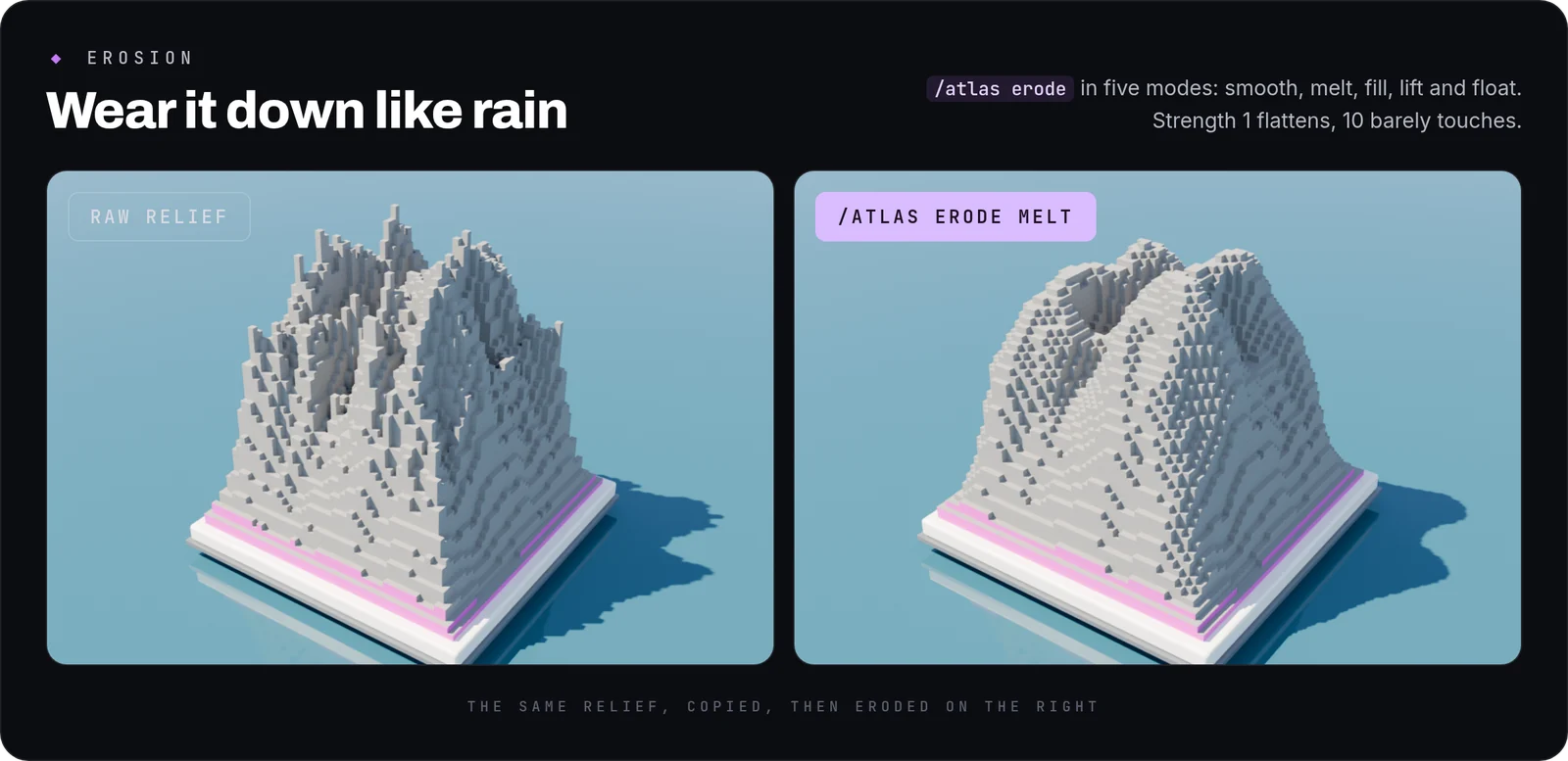
Erosion: five modes, from smoothing to melting. The pair above is one relief copied side by side, with the right one eroded.
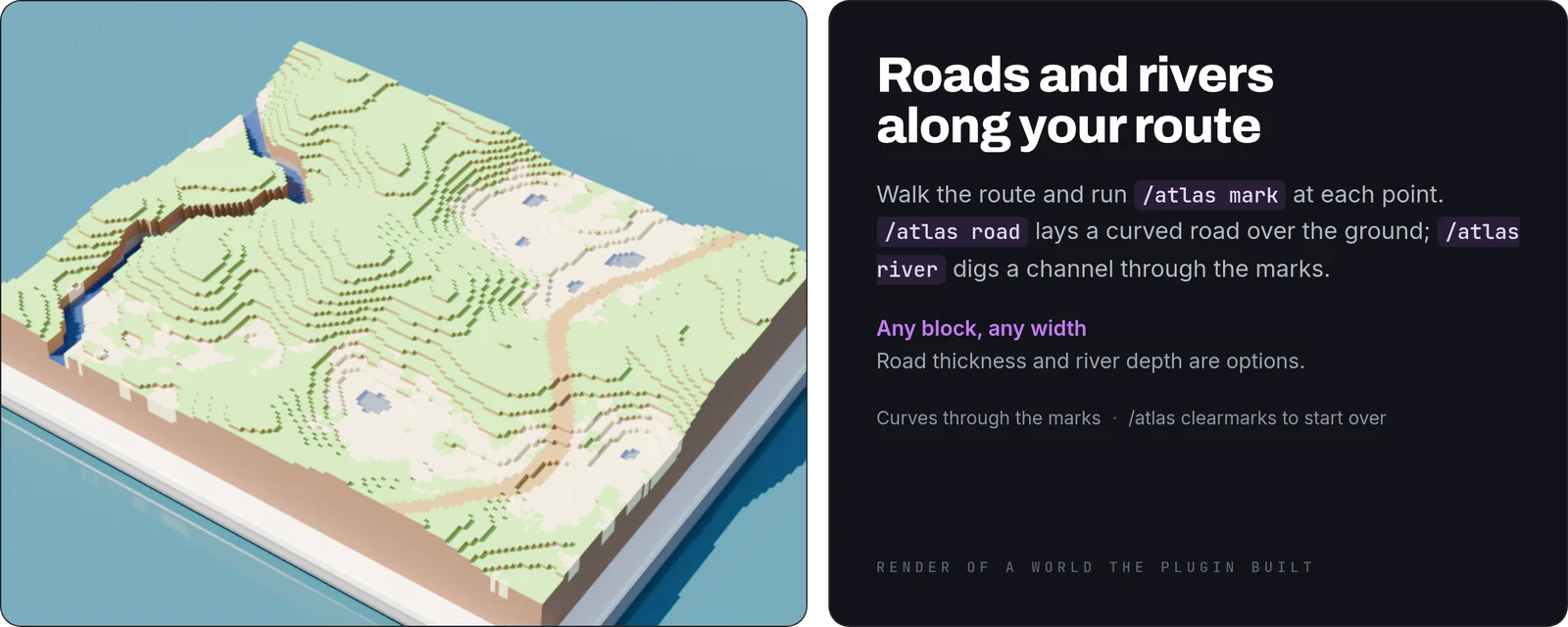
Roads and rivers: walk the route, mark the points, and the road or the river follows them.
Painting
- Paint with masks:
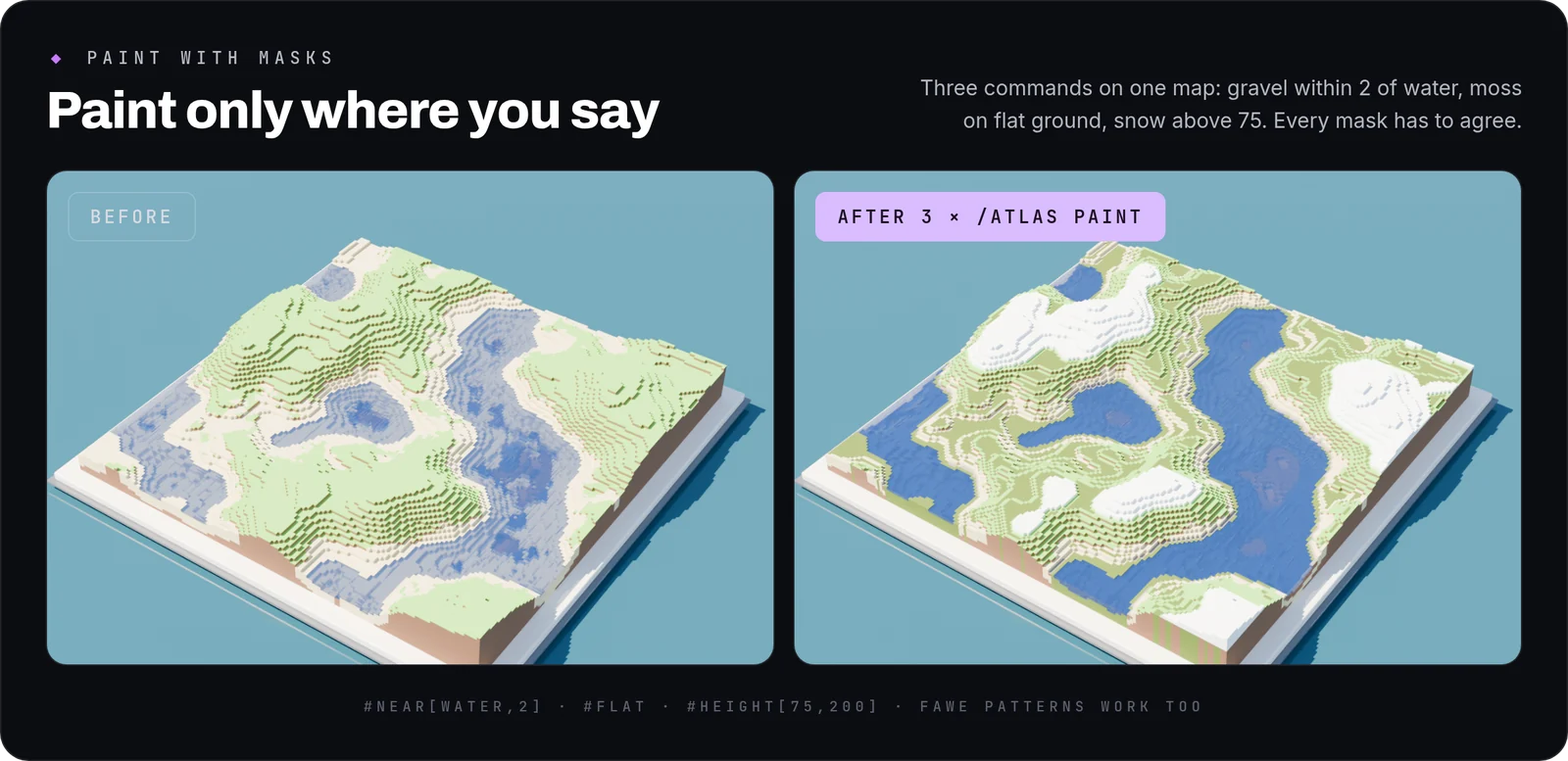
/atlas paint moss_block #flat #near[water,3]paints only where every mask agrees. FAWE patterns such as#vor[5][stone,sand]work too.
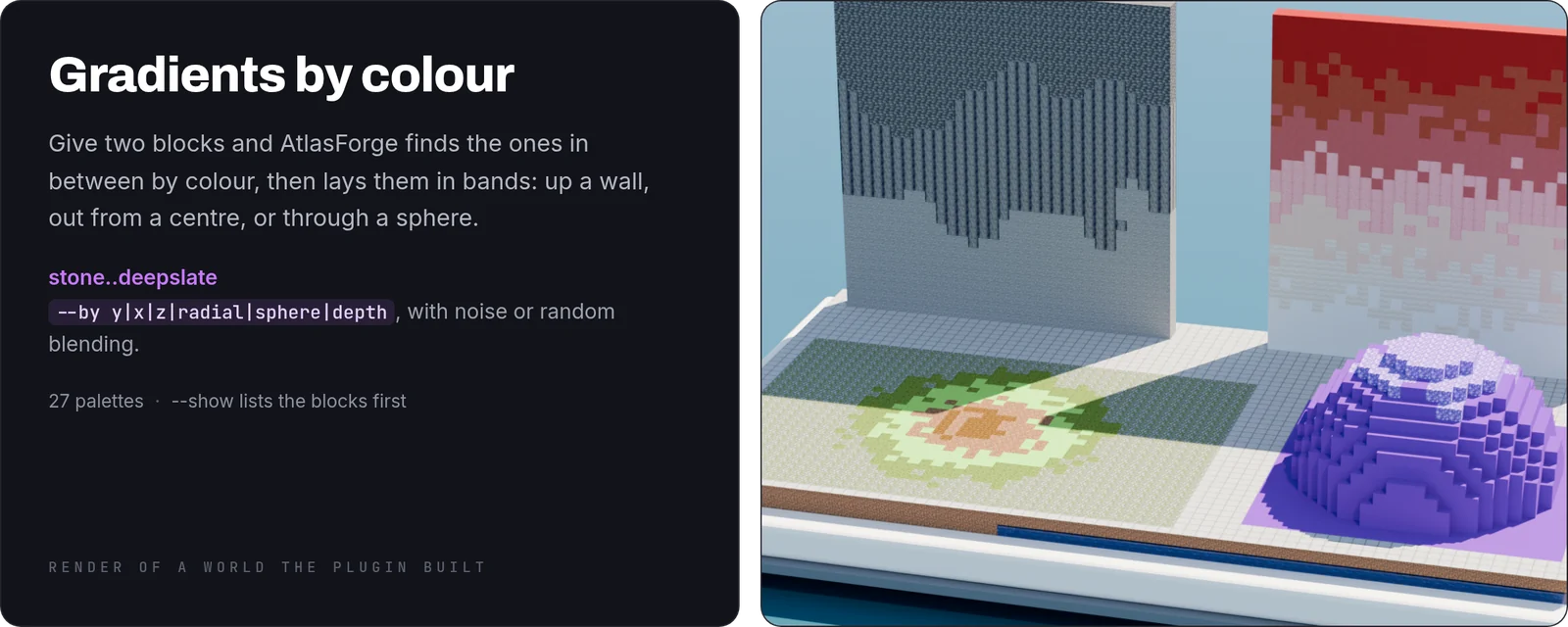
- Gradients: join two blocks with
..and the blocks in between are found by colour. Lay them by height, along an axis, out from a centre or through a sphere.
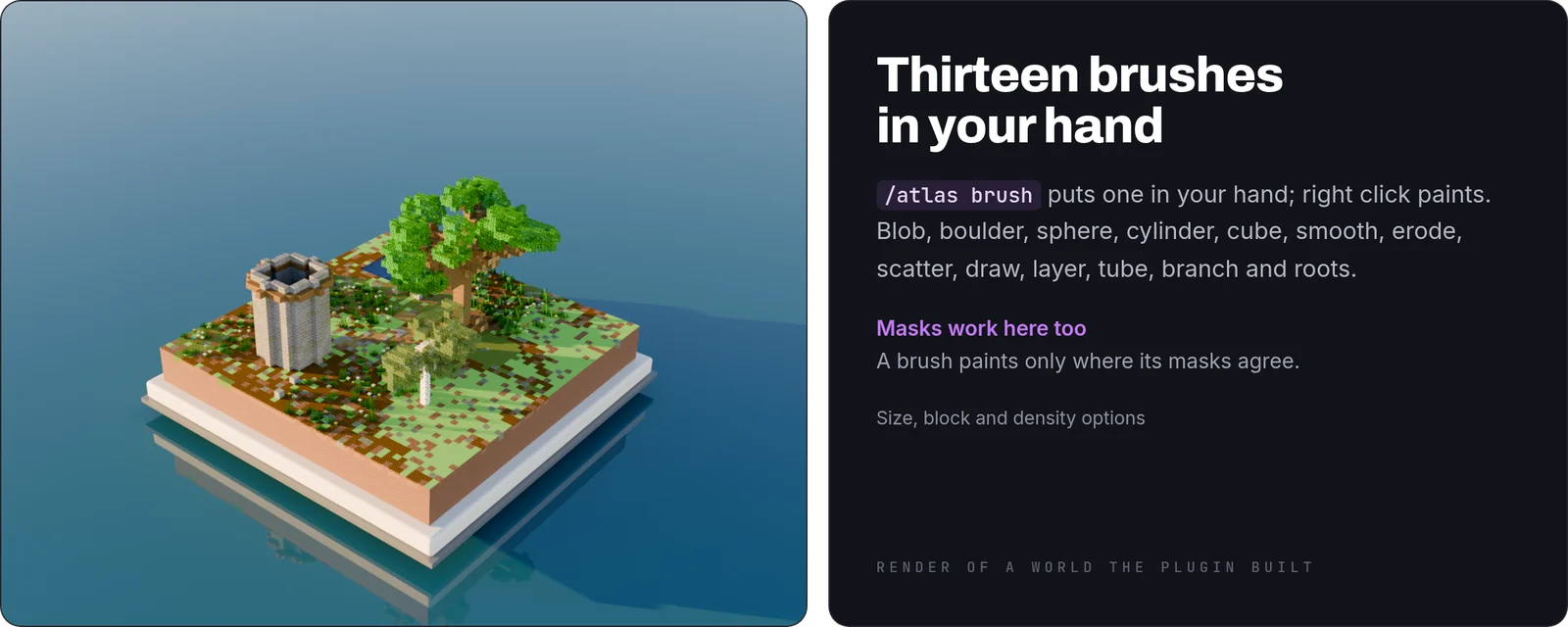
- Brushes and palettes: 13 brushes, from boulders and roots to smoothing, and 27 palettes for the texture command.
/atlas palette checktells you whether two blocks read apart, and from how far.
Export
- Schematics:
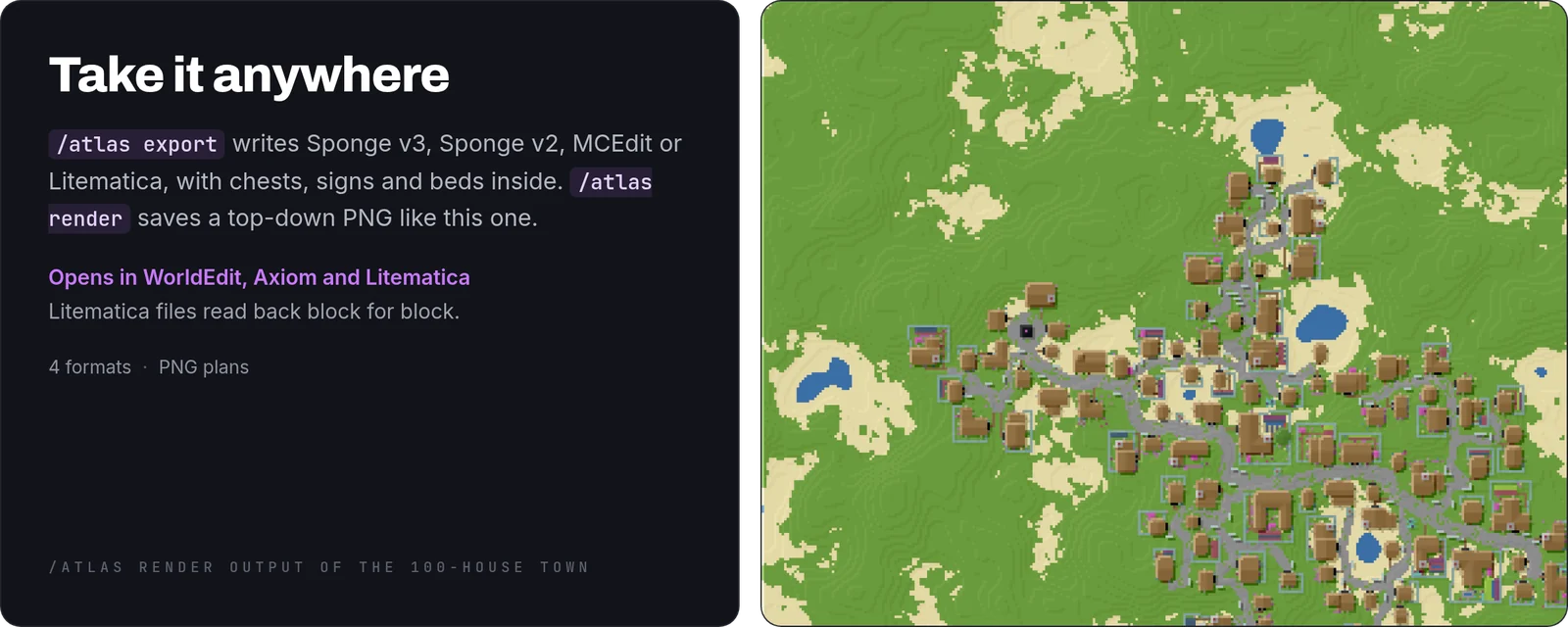
/atlas exportwrites Sponge v3, Sponge v2, MCEdit or Litematica files, with block states, chests, signs and beds inside. - Top-down picture:
/atlas renderwrites a PNG of any area, like the one above.
Console
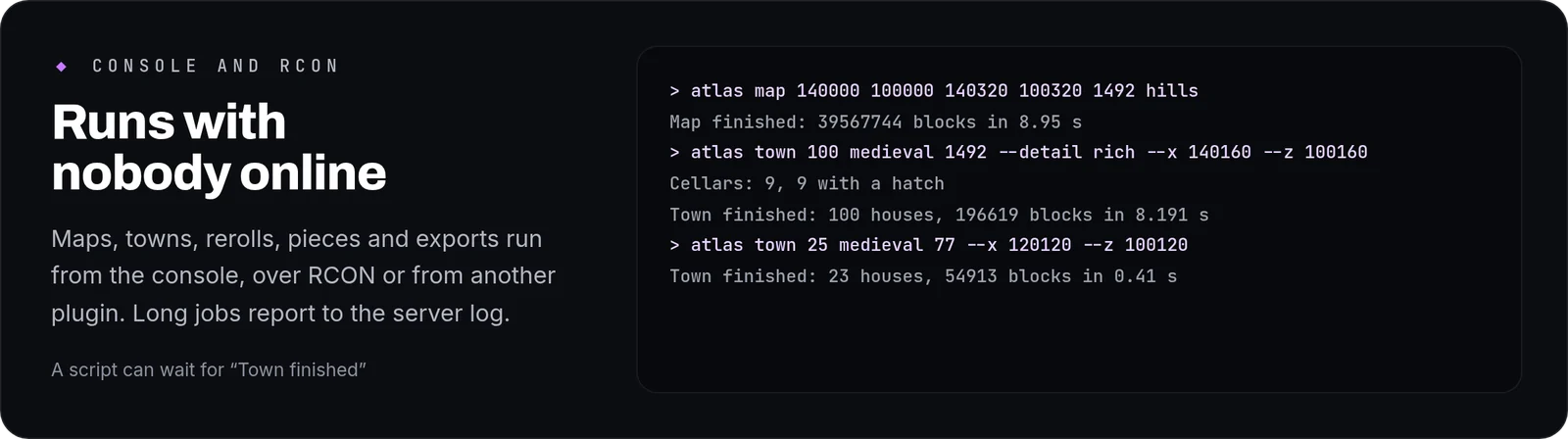
map, town, reroll, piece, culture and export run from the console or over RCON, so a script or another plugin can drive them. The result of a long job is written to the server log.
Undo
/atlas undo takes back the last thing AtlasForge built for you, ten jobs deep, and nothing else. A //set you did afterwards stays where it is. Big jobs come back whole: we undo a 150-house town on an 840×840 map and count the blocks before and after.
How to use it
- Install: drop the jar into
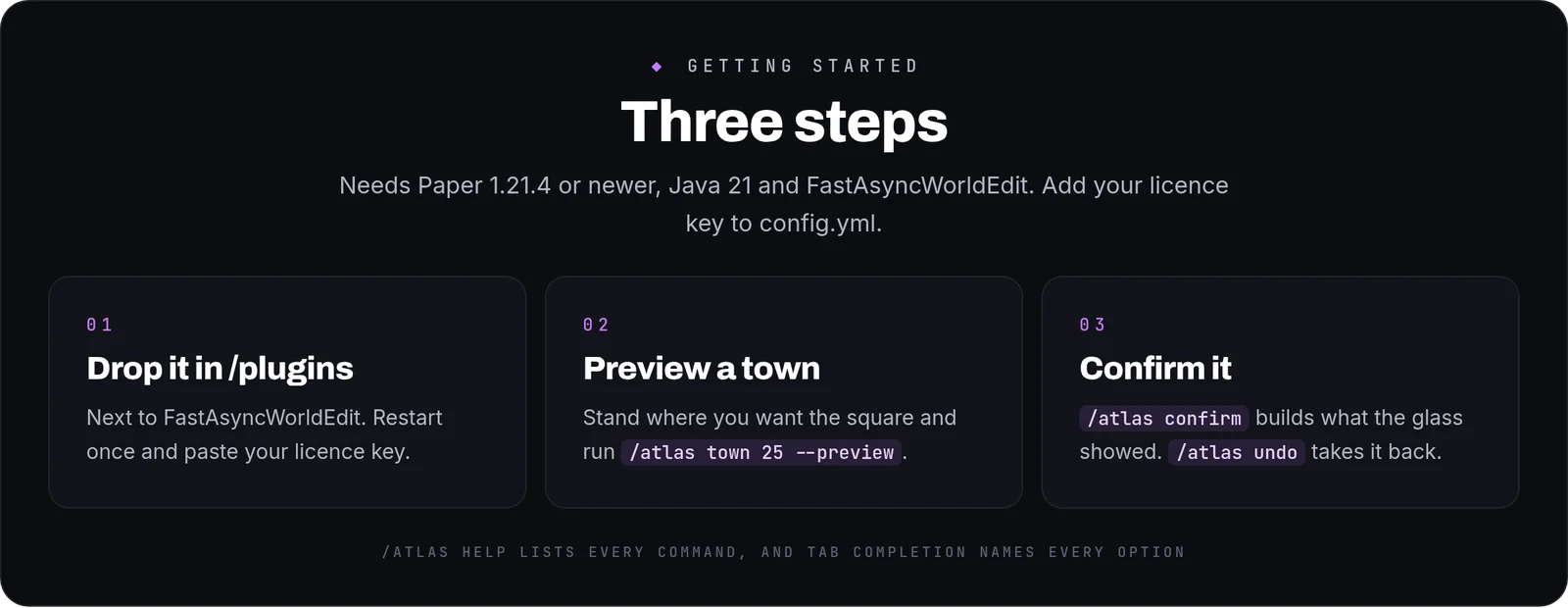
/pluginsnext to FastAsyncWorldEdit, restart once and paste your licence key intoconfig.yml. - Preview: stand where you want the square and run
/atlas town 25 --preview. - Build:
/atlas confirm. If you change your mind,/atlas undo.
Commands and permissions
- Towns:
/atlas town,confirm,cancel,reroll. - Houses and pieces:
/atlas house,roof,piece,culture. - Terrain:
/atlas map,terrain,erode,mark,road,river. - Painting:
/atlas paint,gradient,texture,brush,palette. - Output:
/atlas export,render. And/atlas undo. - The alias is
/af. One permission,atlasforge.use, on for operators by default. - Options go in order or by name, and tab completion names every one:
/atlas town 40 --culture nordic --seed 2026 --state worn.
FAQ
Does it need a flat area?No. Towns are made for hills. On ground that is mostly water or cliff the town comes out smaller and says why, and if not one house fits it builds nothing.
Will it build over what is already there?A town goes around other towns and anything else already standing. A map is different: /atlas map replaces the whole box you give it.
Can players use it?It is a tool for staff and builders. The permission is off for players by default.
Can I take a town to another server?Yes. Export it as a schematic or a Litematica file and paste it there.
Commands
| Command | What it does |
|---|---|
/atlas | AtlasForge building tools |